
Alma
Directory Filters
An easier, more intuitive way for clients to match with prospective therapists while seeking mental healthcare.
SCOPE
Product design
Info architecture
Content design
Mobile UX/UI
business impact
My first project at Alma — and the first feature launch in company history to double usage in a single release.
Background
The provider directory is where clients begin their search for a therapist.
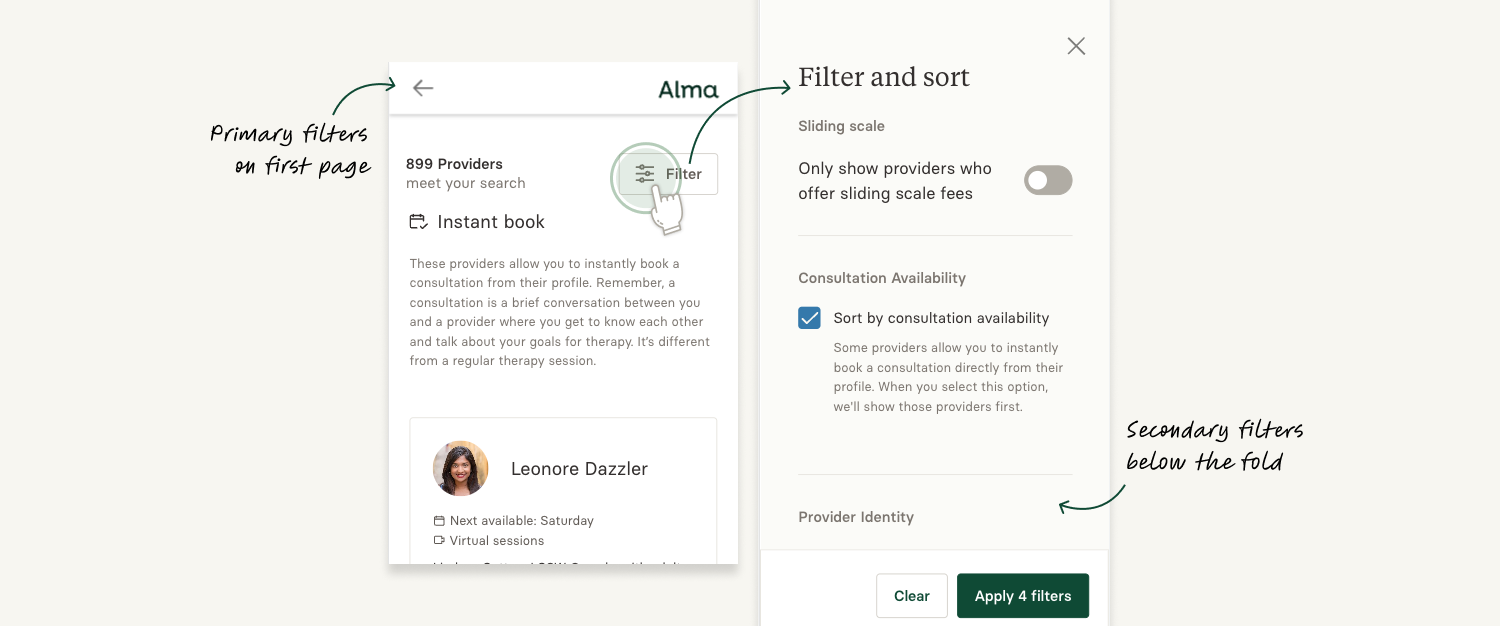
They can filter search criteria like state and payment method, as well as secondary filters like identity, degrees, and therapeutic style.
Problem definition
Nearly 80% of clients who submit a consultation request use 3+ filters.
However, 78% of all clients didn’t use secondary filters at all.
Desktop users
- Used more filters
- Submitted fewer consultation requests
- Had much higher acceptance rates
- Were more likely to come from organic traffic and have higher intent
Mobile users
- Used fewer filters
- Submitted more consultation requests than desktop users
- Had lower acceptance rates
- Represented more than 50% of consumers
HYPOTHESIS THEMES
Filter discoverability
Surfacing up filters with the goal of making them accessible, recognizable, and usable
Information hierarchy
Surfacing the most important criteria with the highest success rates for matching
Usefulness/Relevancy
Encouraging the use of filters by highlighting potential matches while minimizing fears that additional filters will limit results
Design strategy
We focused our efforts on mobile first since it accounted for the majority of paid traffic.
Taking a mobile-first approach, we focused on improving interactions that allowed mobile users to search and apply filters more easily. Where applicable, we also made the same updates on the desktop experience.
Design Changes
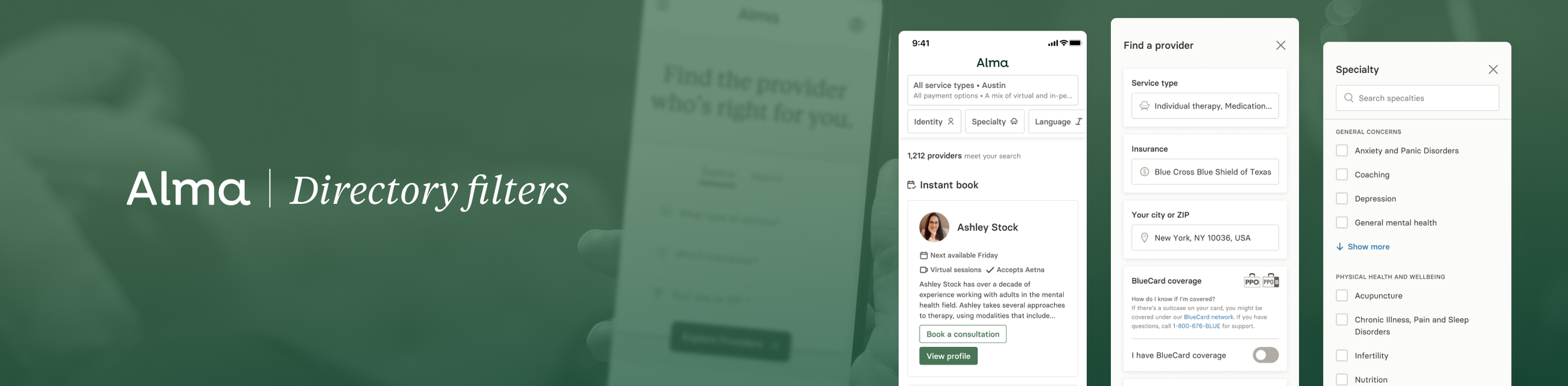
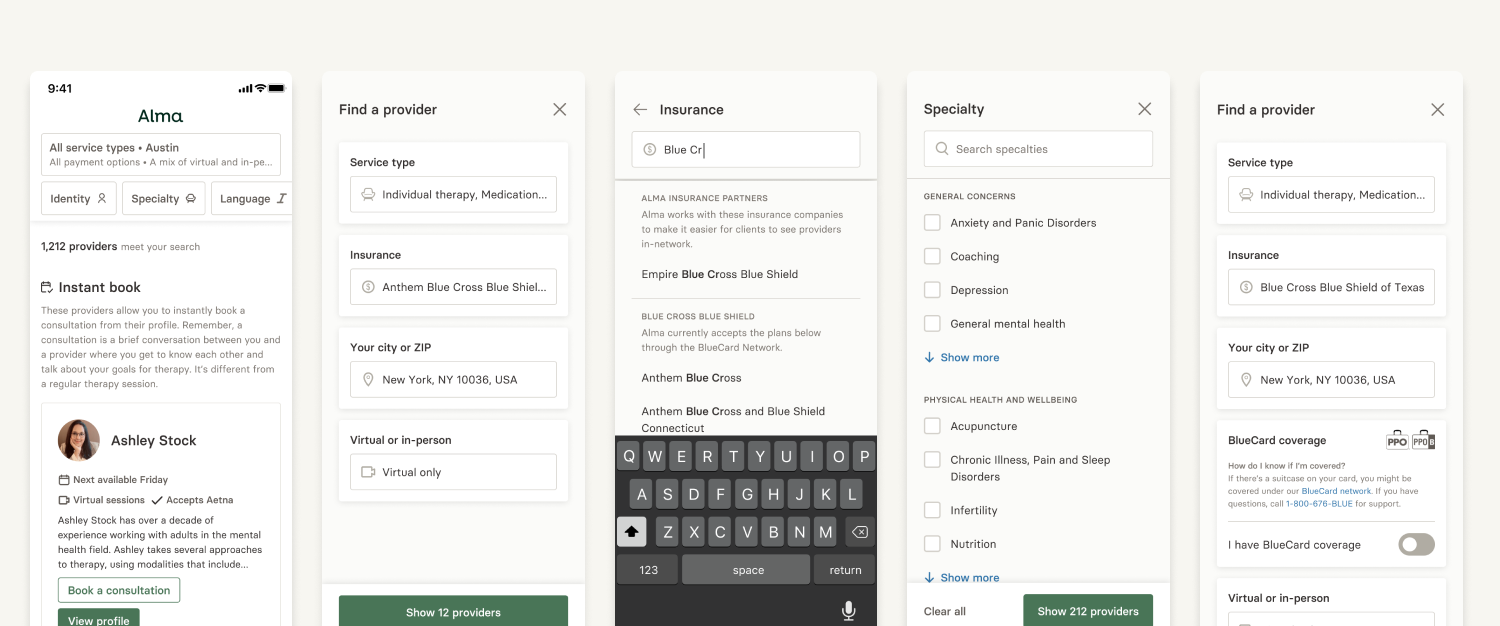
Surfaced Tier 2 filter categories
Instead of a single “Filters” button on mobile, we surfaced the most-used Tier 2 filters into a carousel navigation on the directory to improve discoverability.
Refreshed the Information architecture
Consolidated some filters into existing categories and alphabetized other filter lists for improved scannability (such as the Language filter).
Added real-time interaction feedback
Previously, filters were static checklists. Users can now filter down the list of options while typing in the search bar, and selecting filters displays the number of results in the footer.
Added smarter logic to “More” filters
We made certain filters display only under certain conditions, such as:
Showing the “Blue card” filter if users are in certain states with BCBS
Showing “Sliding scale” filter if users are paying out-of-pocket
Made Tier 1 filters editable
Previously, the Tier 1 filters (Service type, Insurance, Location, and Virtual filters) could only be chosen at the start of the search process. These filters could now be edited on mobile after landing on the directory.
The results
2x increase of filter usage on mobile
… and 5%+ increase on desktop 2 weeks post launch.
This was not only my first project at Alma, but also the first feature launch at Alma to ever double usage in a single release.
Reflections
This project proved that discoverability alone can be a meaningful lever — simply making filters visible and accessible on mobile opened doors for clients who were previously navigating the directory without them. It also reinforced the importance of designing for mobile-specific interaction patterns as a first-class concern, not an afterthought.
Next Steps
Going forward, we would have continued monitoring funnel conversion, filter usage, and customer acquisition cost to track sustained impact.
Next, we would test whether moving the “Virtual or In-person” filter from Tier 1 to Tier 2 would expose clients to a broader pool of providers. Since the majority of Alma's therapists offer virtual sessions, leading with that filter may have been quietly limiting results before clients ever got started.